Skip to content
Copper

01 / 09Left-to-Spend

One number you can actually spend.

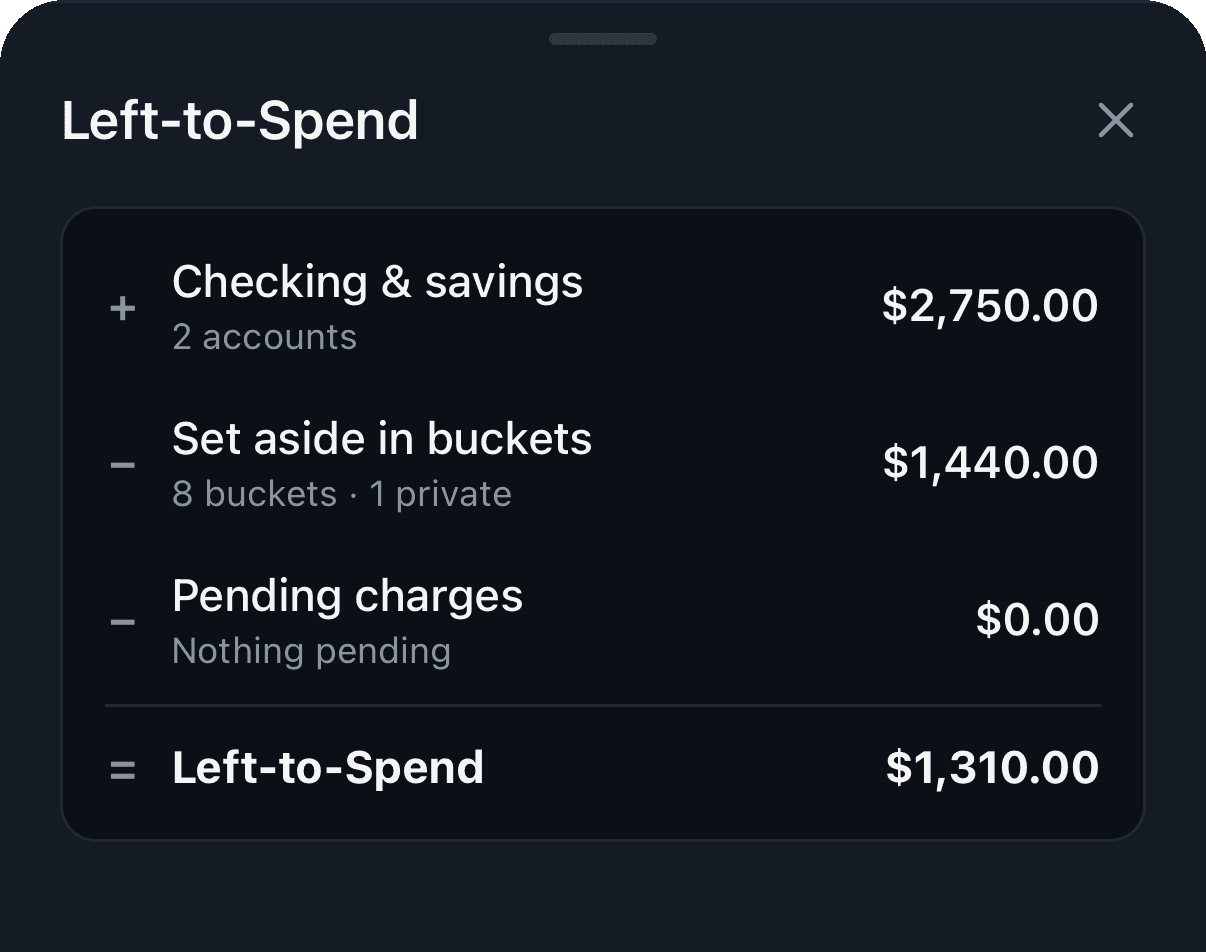
Copper takes the cash in your checking and savings, subtracts every dollar already set aside for a bill or goal, subtracts what's still pending, and shows you what's left.

  • A daily allowance until your next payday
  • Slide across the meter to see where each dollar sits
  • Pending charges count the moment they appear
  • Updates live on every device, for everyone on the budget
Read the guide →
9:41
Left-to-Spend breakdown

02 / 09Buckets

Give every dollar a job.

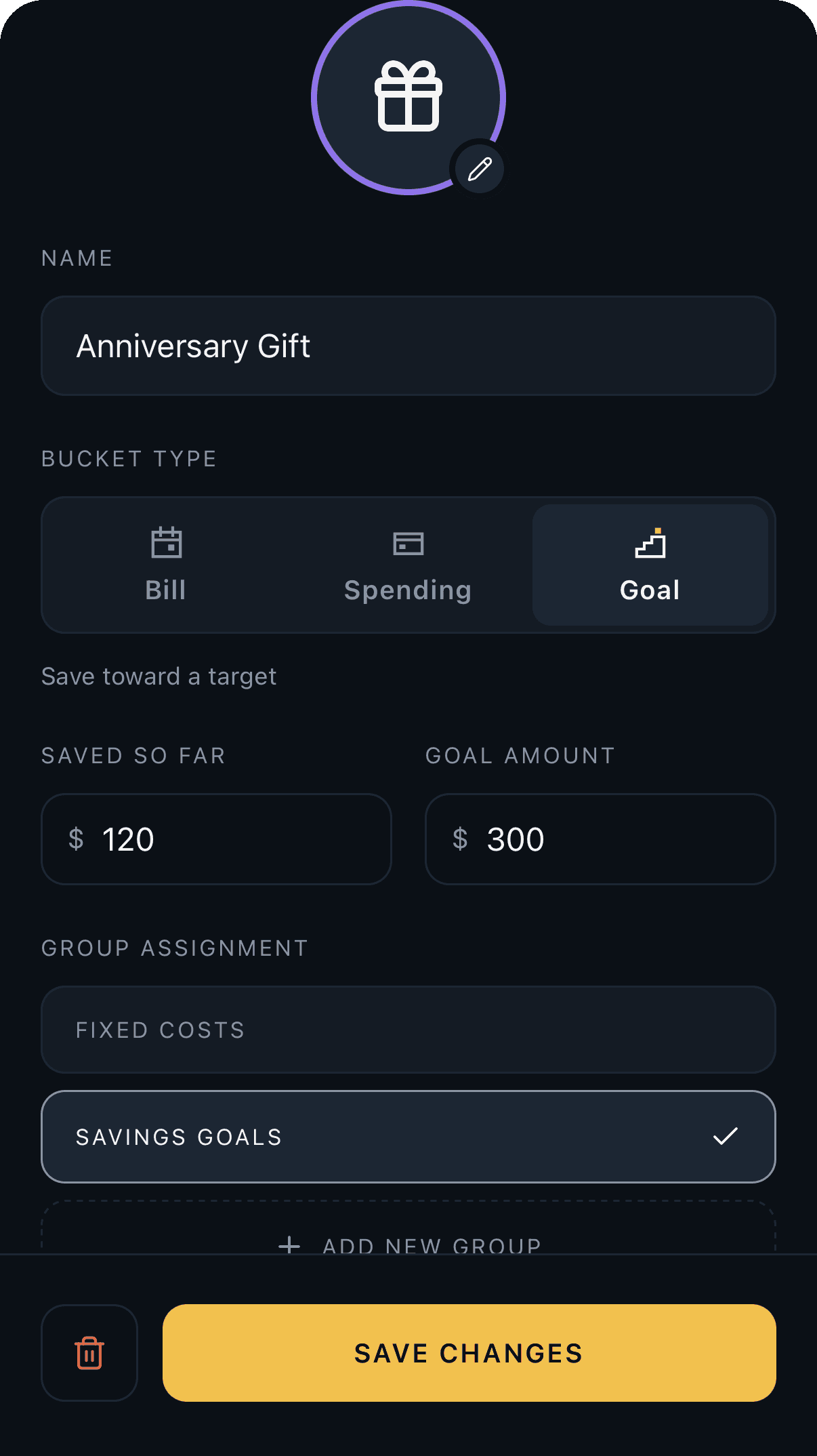
Buckets are envelopes for your money: bills with due dates, spending for groceries and gas, goals with a target, and payment buckets for each credit card.

  • Bills know when they're due and whether they're funded
  • Goals track progress toward a target
  • Group buckets however you think about money
  • Your money never moves; buckets are the plan on top
Read the guide →
9:41
Bucket editor

03 / 09Funding & paychecks

Payday fills the buckets for you.

Funding schedules fill buckets toward their targets on a rhythm: weekly, every other week, twice a month or monthly. Link one to your paycheck and it runs the day the deposit lands.

  • Copper spots recurring paychecks in your deposits
  • Early paychecks trigger the run early
  • Each run tops buckets up to target, nothing more
  • Fund everything by hand whenever you like
Read the guide →
9:41

Funding Schedules

Fill buckets on a rhythm, or the day your paycheck lands.

Your paycheck

AAcme PayrollEvery other Friday · about $2,450Found

Schedules

PaydayFollows Acme Payroll · 6 bucketsFri
Monthly Top-Up1st of the month · 4 bucketsOct 1
Create funding schedule

04 / 09Auto-assign rules

Teach it once. It remembers.

Rules send a merchant's purchases to the right bucket as they sync. Groceries go to Groceries, gas goes to Gas, and your ledger mostly sorts itself.

  • Match by merchant, category, or text in the name
  • Applies to new transactions as they sync
  • Edit or remove a rule any time
  • Same rules on iPhone and the web
Read the guide →
9:41

Auto-Assign Rules

New transactions that match go straight to a bucket.

Whole Foods MarketMerchant isGroceries
Trader Joe'sMerchant isGroceries
ShellMerchant isGas
SpotifyMerchant isSubscriptions
StarbucksMerchant isCoffee

12 past transactions match these rules

New rule

05 / 09Round-ups

Spare change with a strategy.

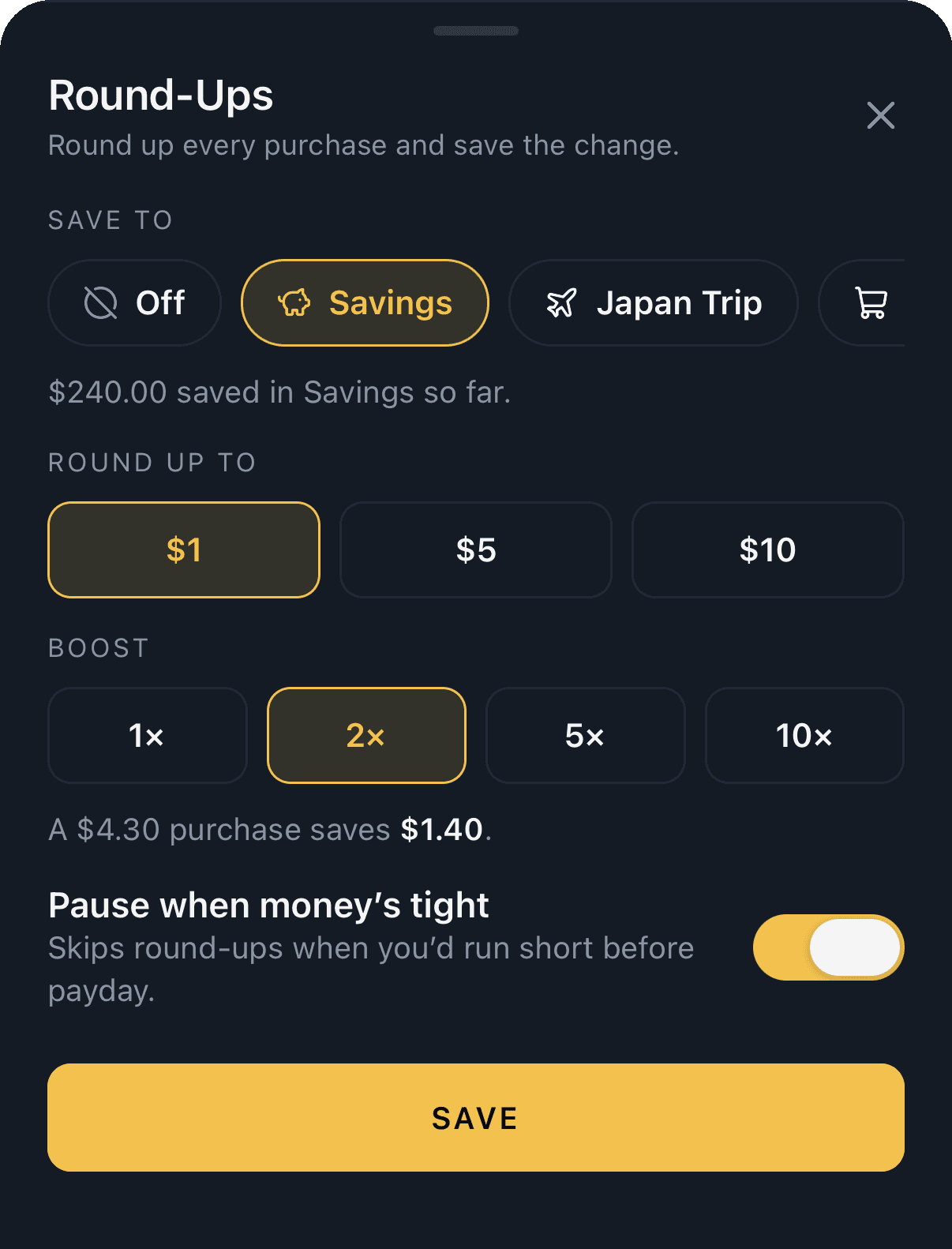
Every purchase rounds up to the next $1, $5 or $10 and the difference goes to a goal. Boost it up to 10× if you're saving hard.

  • Boosts of 2×, 5× or 10×
  • Can pause while a heads-up is active
  • With pausing on, never takes left-to-spend below zero
  • See each round-up right on the transaction
Read the guide →
9:41
Round-ups with a 2× boost

06 / 09Price-hike watch

Nothing goes up quietly.

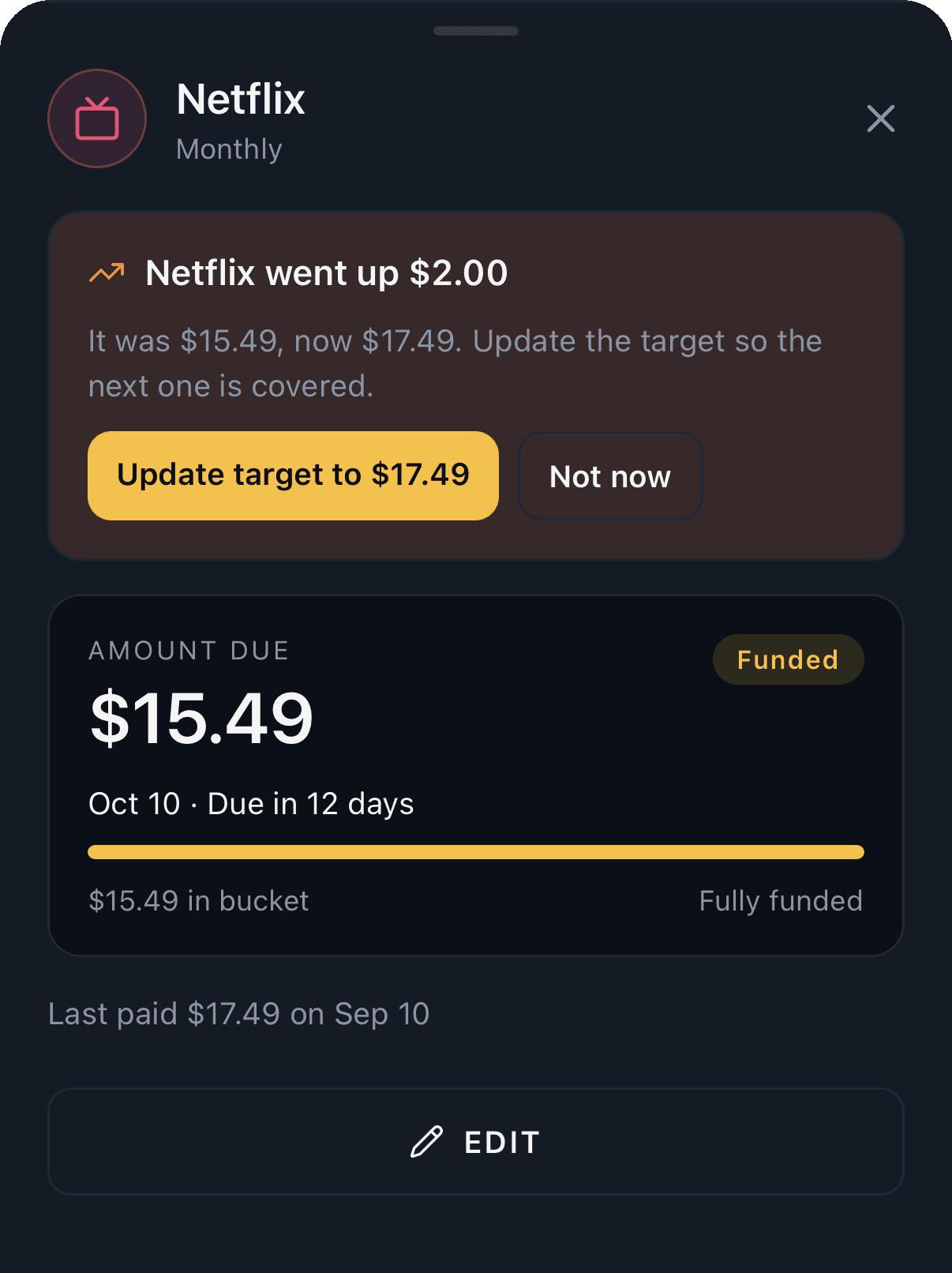
When a bill charges more than it did last time, Copper tells you by how much and offers to update the target so the next one is covered.

  • Flags increases of 50¢ or more
  • One tap to update the target
  • A single notification, not a nag
  • Works for every bill bucket
Read the guide →
9:41
Netflix bill with a price-hike notice

07 / 09Surprise-bill finder

Find the yearly ones before they find you.

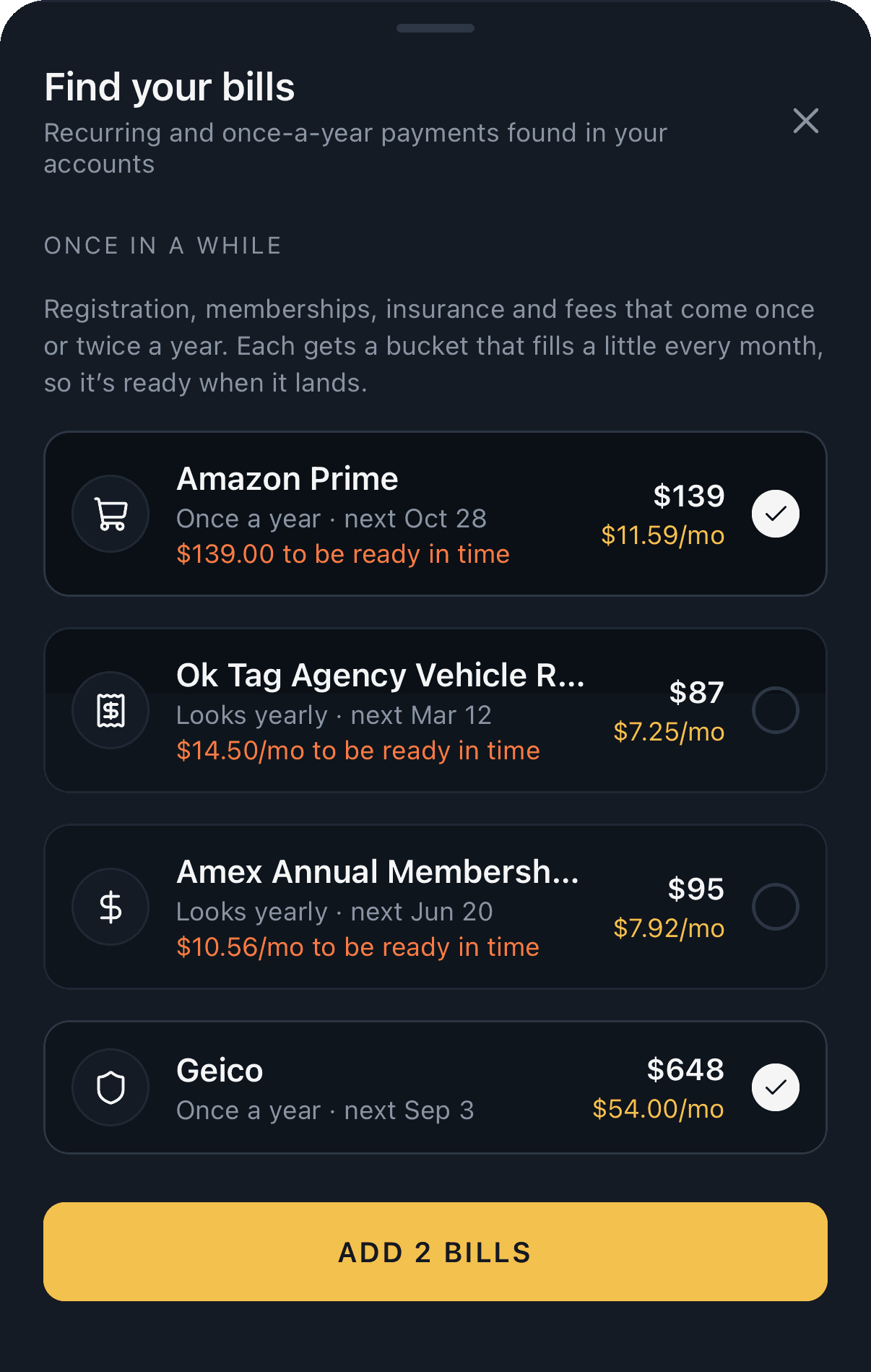
Copper reads your history for charges that come once or twice a year, like memberships, registration and insurance, and turns each into a bucket that saves a little every month.

  • Looks back up to two years
  • Shows the monthly amount to be ready in time
  • Add the ones you want in a tap
  • Runs during setup, and any time after
Read the guide →
9:41
Surprise bills Copper found

08 / 09Shared budgets

Budget together.

Invite a partner or family with a one-time code. Everyone sees the same buckets, bills and left-to-spend, and links their own banks.

  • Up to 8 people per budget
  • Everyone links their own banks
  • Private buckets for gifts, still counted in the total
  • Banks go with the person if they leave
Read the guide →
9:41

Budget Settings

🏠HouseholdShared with 1 person

People

AAlex Morgan (You)[email protected]Owner

K7QP-4ZX9

Invite code · works once · expires Oct 5

Share Invite

Everyone here sees and manages the same buckets, bills and left-to-spend. Banks stay with whoever linked them.

09 / 09Themes

Nine themes, dark and light.

Copper, Midnight, Evergreen, Orchid, Glacier, Cobalt, Volt, Terminal and Mono. Pick one per budget and every screen follows.

  • One accent color per theme
  • Dark and light versions of each
  • Set per budget, synced to everyone
  • Dark or light per device
Read the guide →
9:41

Color Theme

Everyone on this budget sees it.

Copper

Midnight

Evergreen

Orchid

Glacier

Cobalt

Volt

Terminal

Mono

Save

Also on the web

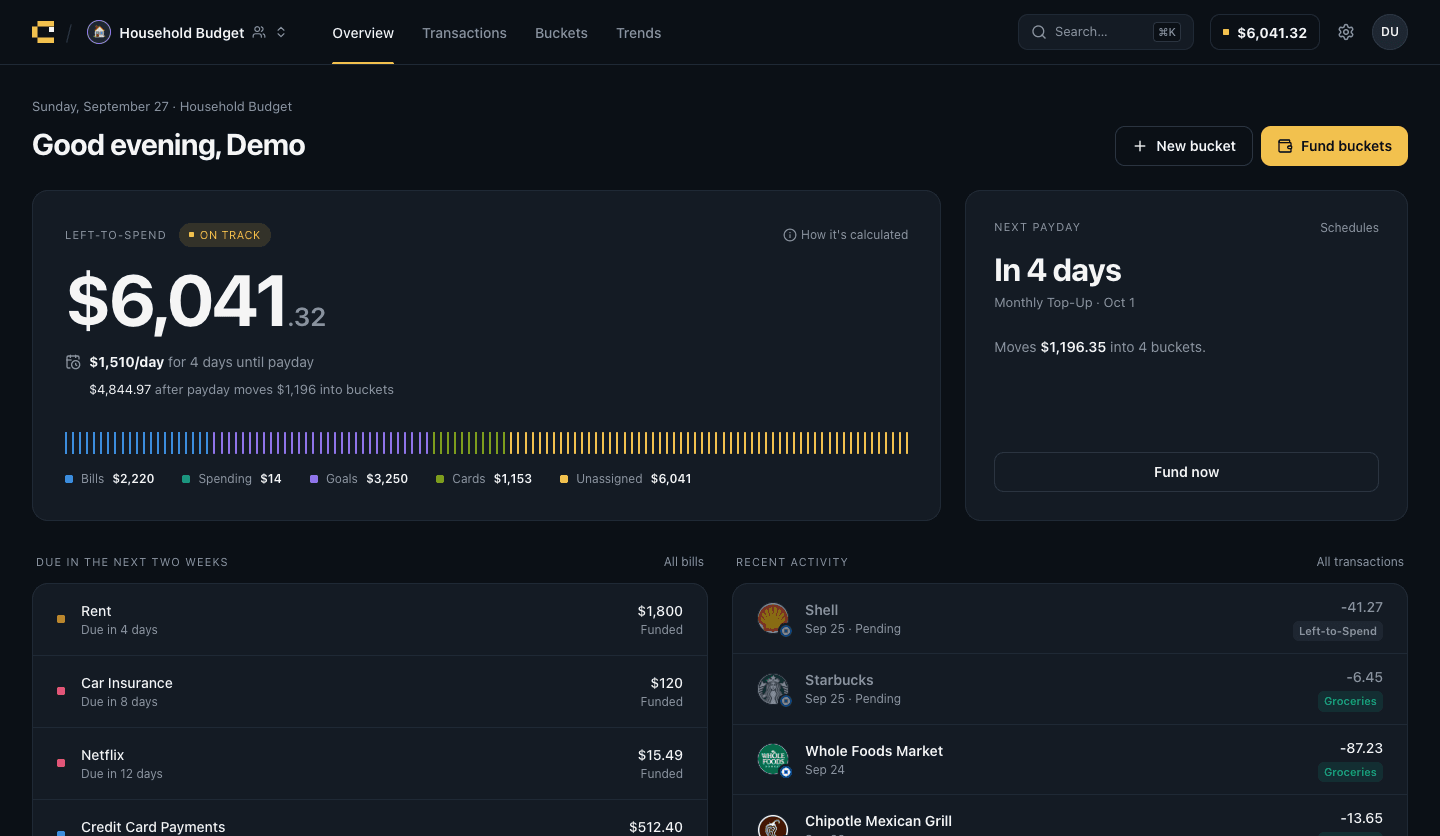
Same budget, bigger screen.

Sign in at your desk and everything is there, synced live with your phone, with a command palette and keyboard shortcuts for the busy days.

Read the guide →
app.copper.money
Copper on the web: Overview

And the rest

The small stuff, done well.

Bill reminders

A heads-up before bills are due, and when a bucket is short.

Home Screen widgets

Left-to-spend on your Home Screen, no app open needed.

PIN & Face ID

Lock Copper behind a PIN or Face ID on your iPhone.

Keyboard first

⌘K for everything on the web, j/k to move through lists.

iPhone and web

One budget, synced live between your phone and browser.

CSV export

Take your transactions with you, any time.

Know what's
left-to-spend.

Link your bank, set up your bills, and Copper does the arithmetic from there. Try it free for 7 days.